
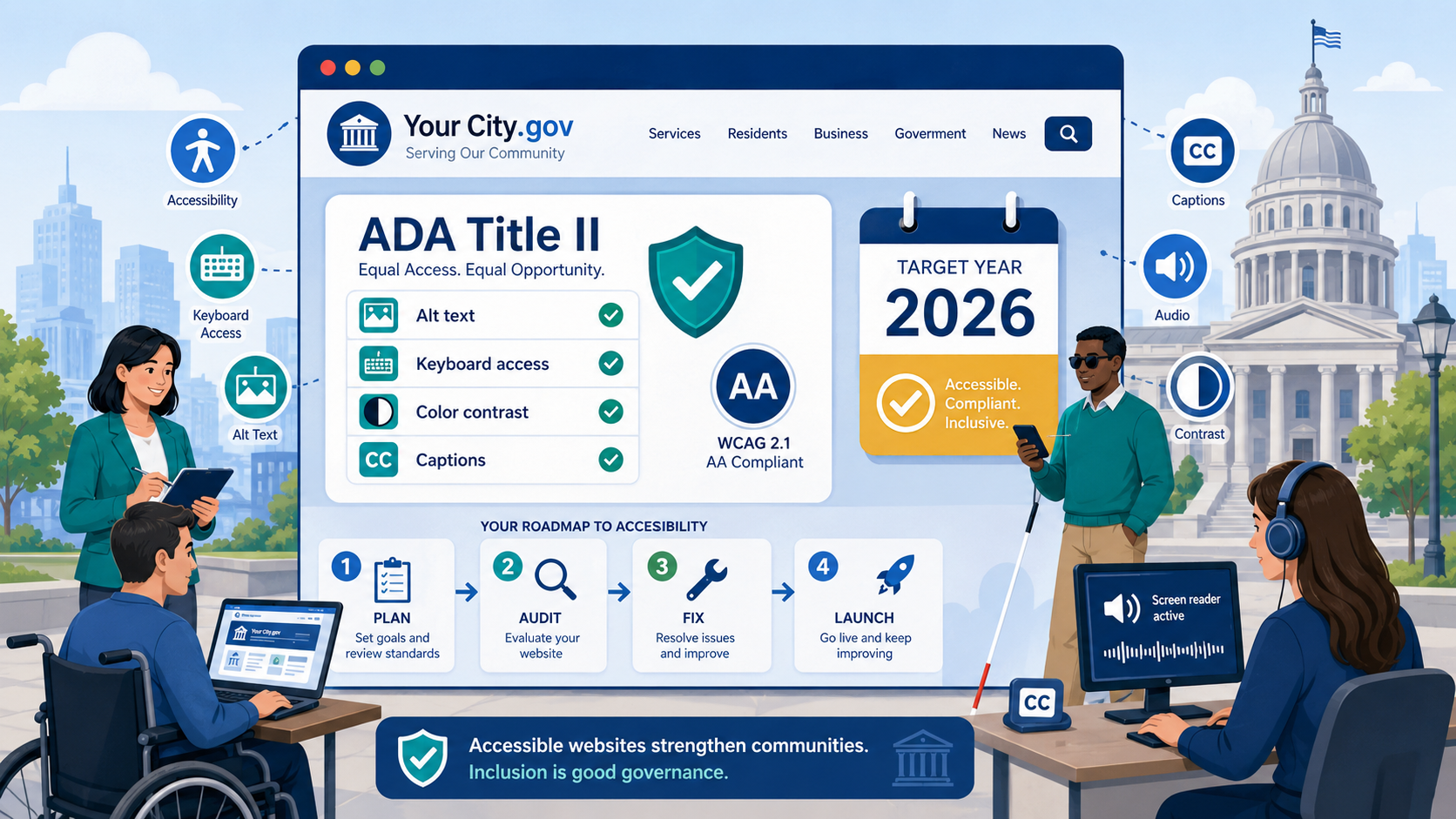
TL;DR: Cities and counties serving 50,000 or more residents must meet WCAG 2.2 Level AA by April 24, 2026. Smaller jurisdictions have until April 26, 2027. Most local government websites have significant accessibility failures today. A realistic remediation program takes 12–18 months for a large agency. If you have not started, start now.
The April 24, 2026 deadline for large local governments is not a soft target or a best-practice recommendation. It is a hard legal requirement established by the Department of Justice’s final rule under Title II of the Americans with Disabilities Act (89 FR 31320). Cities and counties that miss it face a higher risk of DOJ complaints, private lawsuits, and the reputational and financial consequences of consent agreements. For most municipalities with populations above 50,000, the compliance window is closing fast.
Which Deadline Applies to Your Jurisdiction?
The DOJ established a two-tier timeline based on the population served by the government entity, not the number of government employees or the size of the IT department.
April 24, 2026 — Large entities This deadline applies to state governments and local governments with a total population of 50,000 or more. A city of 52,000 people faces the same deadline as a county of 500,000. If your jurisdiction crossed the 50,000-resident threshold in any recent census, you are in this tier.
April 26, 2027 — Small entities Local governments serving fewer than 50,000 residents have an additional year. See our guide to web accessibility for small cities and towns for a step-by-step starting plan tailored to smaller jurisdictions. This accommodation was made to account for the more limited technical and financial resources of small jurisdictions.
What “Population” Means in the Rule
The population figure refers to the total population of the jurisdiction served — the number of residents in the city, county, or special district’s service area. This is determined by the most recent Census Bureau data. It is not:
- The number of website visitors or registered users
- The number of government employees
- The population of the county in which a city is located (a city of 45,000 within a large county would use the city’s population, not the county’s)
Special districts — transit authorities, utility districts, library districts, school districts — should calculate their covered population as the population of the geographic area they serve. A school district serving a region of 80,000 people, including areas outside any individual city, would use that service area population.
If your jurisdiction’s population is close to the 50,000 threshold, consult with counsel about which tier applies. The DOJ’s preamble to the rule discusses the population determination methodology, and getting this wrong in either direction creates legal exposure.
The Reality: Most Local Government Websites Are Not Ready
The DOJ’s own regulatory impact analysis, published with the 2024 final rule, acknowledged that substantial percentages of government websites currently fail WCAG accessibility requirements. Accessibility audits commissioned by disability rights organizations and state governments in the years preceding the rule consistently found high failure rates across municipal websites.
The most common patterns found in audits of local government websites include:
Missing or inadequate alt text. Images on city and county websites — photographs of municipal facilities, staff portraits, maps, department seal graphics, event flyers — frequently have no alt text, have uninformative alt text like “image.jpg,” or have alt text that describes the image appearance rather than its informational content. A photograph of a flooded road posted in an emergency notification must convey where the flooding is and what the public safety message is, not just “flooded road photo.”
Inaccessible PDFs. Local governments are prolific producers of PDF documents — meeting agendas and minutes, budget documents, permit applications, zoning ordinances, public notices, annual reports, and more. PDFs created by scanning paper documents with no OCR processing are image files that cannot be read by screen readers at all. PDFs exported from Word without proper heading and tag structure may be technically machine-readable but fail structure and navigation requirements.
No skip navigation links. A user navigating a city website by keyboard must press Tab through every navigation menu link — often 20–40 items — before reaching the main content on every single page visit. A skip link at the top of the page resolves this, but many municipal templates do not include one, or they include one that is hidden in a way that prevents sighted keyboard users from seeing it when it receives focus.
Poor color contrast on navigation and headers. City and county brand colors — often selected for civic aesthetics rather than accessibility — frequently fail the 4.5:1 contrast ratio required by WCAG 1.4.3. Light gray text on white backgrounds, white text on medium-blue backgrounds, yellow text on light backgrounds: these patterns appear constantly in municipal website designs and often fail the minimum contrast threshold.
Inaccessible forms. Contact forms, 311 service request forms, permit applications, license renewals, and other civic transaction forms commonly have missing or incorrect labels, ambiguous field instructions, validation errors that appear visually but are not announced to screen readers, and no programmatic error suggestions. A blind resident submitting a tree-trimming request or a building permit application must be able to complete that transaction independently.
Auto-playing video carousels. Homepage carousels that advance automatically without user control fail WCAG 2.2.2 (Pause, Stop, Hide). Many city CMS templates include homepage sliders or video backgrounds as default design elements.
Unmaintained third-party embeds. Local government websites often embed third-party tools — Google Maps, online payment processors, permit management systems, parks and recreation registration platforms, library catalog interfaces. When these third-party tools are inaccessible, residents with disabilities cannot use them. While the DOJ rule does not hold agencies responsible for all linked third-party content, agencies can and do face complaints about inaccessible service transaction tools embedded in their websites.
A Realistic Compliance Timeline
For a city or county with a substantial web presence, meaningful remediation does not happen in 30 days. A realistic program looks like this:
Phase 1: Discovery and Audit (4–8 weeks)
Before you can fix anything, you need to know what is broken. A compliance-grade audit combines automated scanning across your full site inventory with manual testing of representative page types and critical user journeys.
Key deliverables from an audit:
- Full site inventory identifying all domains, subdomains, and web applications
- Automated scan results identifying programmatically detectable failures
- Manual testing results for each major page template and form type
- Issue register organized by WCAG success criterion and severity
- Prioritized remediation roadmap
Do not rely solely on free automated tools. They catch 30–40% of issues. A professional audit that includes manual testing will surface a substantially larger and more accurate picture of your compliance gaps.
Phase 2: Triage and Prioritization (2–4 weeks)
Not all failures are equally urgent. Prioritize remediation by:
- User impact: Fix failures on the most-visited pages and the most critical service transactions first. Your 311 portal and permit application system matter more than a press release archive from 2019.
- Remediation effort: Quick fixes — adding missing alt text, fixing page titles, adding a skip link — can be completed rapidly and eliminate high-visibility failures. Schedule these first.
- Legal risk: Failures in primary transactional systems (applications, payments, requests) create the clearest legal exposure and should be prioritized for that reason as well.
Establish a parallel track: while developers remediate backlog items, implement processes to ensure all new content published from this point forward meets WCAG 2.2 AA. Stopping new failures from accumulating is as important as fixing old ones.
Phase 3: Remediation (3–12 months, depending on scope)
Remediation is not a single project — it is a series of parallel workstreams:
- Template and CMS fixes — structural changes to page templates, navigation, heading hierarchy, focus management, and ARIA implementation. These changes fix issues systematically across pages that use those templates.
- Content remediation — adding or correcting alt text, fixing PDF accessibility, revising heading structures in content pages, updating link text. This work is often labor-intensive because it is item-by-item rather than systematic.
- Form and application fixes — working with developers or vendors to remediate interactive forms, transaction workflows, and authentication systems.
- Vendor engagements — obtaining remediation commitments from third-party software vendors, reviewing updated VPATs (Voluntary Product Accessibility Templates), and escalating if vendors cannot deliver accessible products.
Phase 4: Verification and Documentation (2–4 weeks)
Before declaring compliance, verify remediation through:
- Re-testing of all previously failing items
- User testing with individuals who use screen readers, magnification software, and voice navigation
- Legal review of compliance documentation
Phase 5: Ongoing Monitoring (continuous)
Compliance on the deadline date is not compliance forever. Use our government website compliance checklist as an ongoing audit tool covering accessibility, security, privacy, and performance. Websites drift out of compliance continuously as content editors publish new pages, new features are added, third-party scripts update, and CMS plugins change. Maintaining compliance requires ongoing monitoring.
Why Continuous Monitoring Matters After the Deadline
Meeting the April 2026 deadline is a milestone, not a destination. Consider the dynamics that cause compliance degradation over time:
Content editors add inaccessible content. A communications staff member uploads a PDF scan of a flyer, posts an image with no alt text, or pastes text from Word with improper formatting. These are not acts of negligence — they are normal editorial behaviors performed without accessibility awareness or without workflow guardrails.
Template and plugin updates break things. A CMS plugin update changes the HTML structure of a component. A theme update removes focus styles. A third-party chat widget embeds inaccessible UI. None of these are intentional — they are the ordinary behavior of software ecosystems.
New pages and features are added. Every new page is an opportunity for new failures. New interactive features — searchable databases, permit tracking portals, public comment tools — introduce new accessibility requirements that must be addressed.
Legal risk does not disappear after the deadline. A complaint filed in May 2026 about a failure that appeared in March 2026 is still a valid complaint, even if the website was largely compliant in April 2026. Compliance is measured at the time of the alleged violation, not at the deadline.
A monitoring program should continuously scan the full site inventory for new failures, alert content teams and developers to issues before they accumulate, and maintain an audit trail demonstrating ongoing attention to accessibility.
What Documentation to Maintain for Compliance Evidence
If you receive a DOJ complaint or civil lawsuit, your ability to demonstrate good-faith effort matters. Maintain:
- Audit reports with dates, methodologies, and findings, showing you conducted a systematic assessment
- Remediation logs documenting which issues were fixed, when, and by whom
- Training records showing that content editors, developers, and procurement staff received accessibility training
- Vendor contracts and VPATs showing accessibility requirements in procurement and vendor accountability
- Progress milestones showing consistent forward progress on remediation
- Accessibility policy — a published, specific accessibility policy stating your commitment and the standard you are targeting
- Feedback mechanism — a process for users to report accessibility barriers, required by the DOJ rule, and records of how those reports were handled
The DOJ has repeatedly cited the absence of an accessible feedback mechanism as a finding in Title II investigations. This is a low-cost item with disproportionate compliance value: publish a clear, accessible process for reporting accessibility barriers, and actually respond to reports received.
Documentation will not eliminate legal risk if your website is substantially non-compliant. But it can demonstrate good faith in enforcement proceedings and distinguish agencies that are genuinely working toward compliance from those that have done nothing.
Start With Your Highest-Traffic Pages and Critical Transactions
If you are reading this in 2025 or early 2026 and have not yet started a formal compliance program, the most important thing you can do is prioritize ruthlessly. You cannot remediate everything before the deadline if you have not started — but you can make substantial, documentable progress that reduces your legal exposure and serves your residents.
Start here:
- Your homepage and top 20 pages by traffic
- All public-facing forms and transactional systems
- Your main navigation and site-wide components
- Actively used PDFs — permit applications, license forms, service request forms
- Any video content, particularly content published in the last two years
That work, done thoroughly, addresses the most legally exposed areas and the places where accessibility failures most directly prevent disabled residents from accessing government services.
Govzu provides continuous accessibility monitoring built specifically for government websites, helping cities and counties track WCAG 2.2 compliance across their full web presence, maintain compliance documentation, and detect new failures before they become complaints. Learn more at govzu.com.