
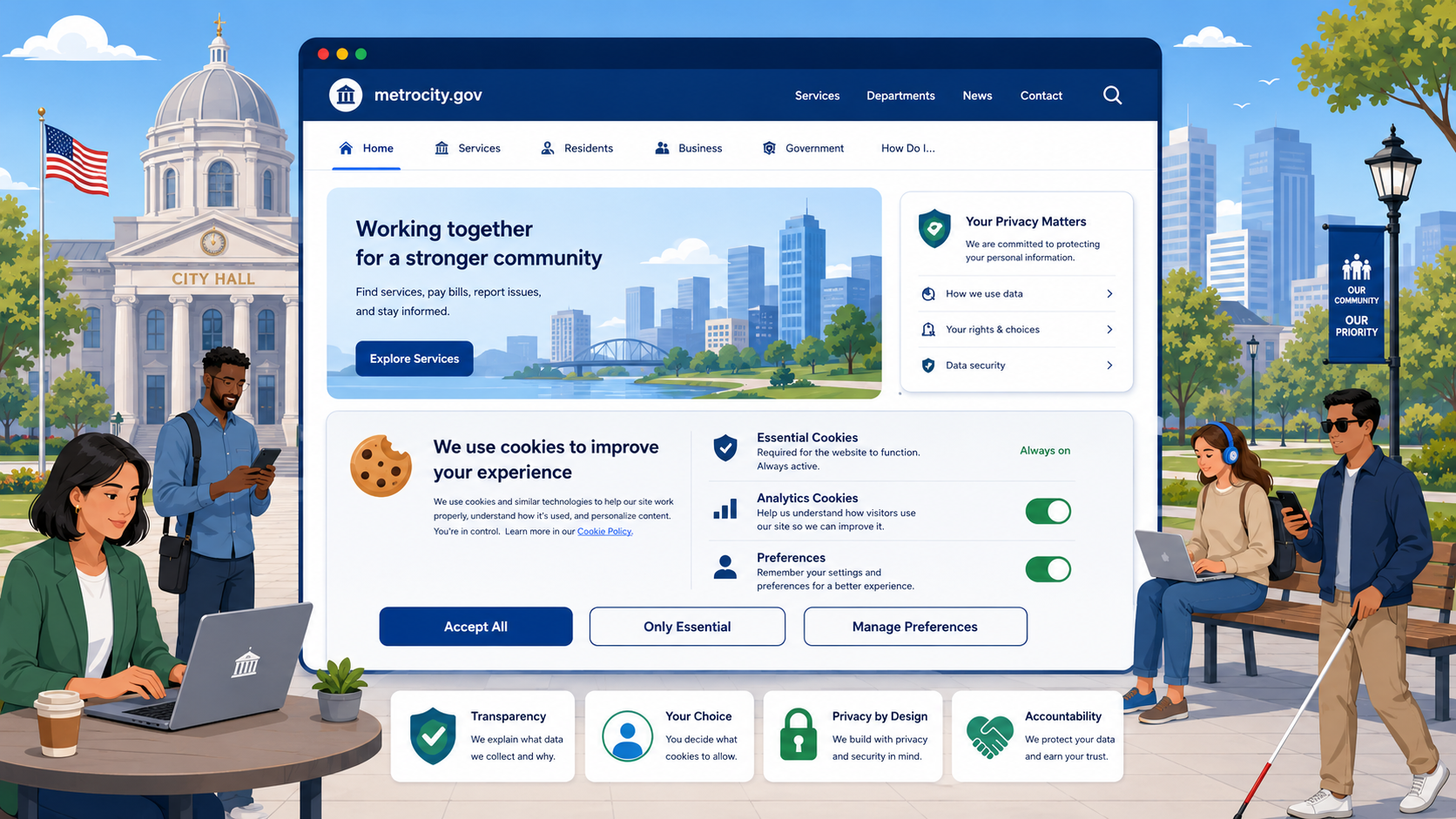
TL;DR: Most US government websites are not legally required to display a cookie banner under federal law, but if you’re running third-party analytics, embedding YouTube or social media, or sharing visitor data with outside vendors, a disclosure is both a legal best practice and a public trust obligation. Audit your cookies, remove what you don’t need, and clearly disclose what remains.
Your city’s website probably sets cookies. So does your county’s permit portal, your library catalog, and your parks and recreation registration system. The question isn’t whether cookies are present — it’s whether you know what they’re doing, who’s seeing the data, and what you’re obligated to tell visitors.
Cookie banners have become associated with European websites, but the underlying issue — informed consent around data collection — applies just as much to US government sites. Here’s how to think through your obligations.
What Cookies Are and Why Government Sites Use Them
A cookie is a small file a website stores in a visitor’s browser. Cookies serve many purposes:
- Session management: Keeping a user logged in as they navigate a permit application or pay a utility bill.
- Analytics: Tools like Google Analytics use cookies to count visitors, measure page popularity, and track navigation paths.
- Third-party embeds: When you embed a YouTube video, a Google Map, or a social media feed, those services set their own cookies — and those cookies belong to Google, Meta, or whoever owns the embed.
- Accessibility and preference tools: Some accessibility widgets store user preferences (like font size settings) in cookies.
The first category — session cookies for your own logged-in services — is generally uncontroversial. The others warrant closer attention.
The US Federal Legal Framework: No Single Cookie Law
Unlike the European Union, which has the ePrivacy Directive and GDPR, the United States has no single federal law specifically governing cookie consent on websites. What exists instead is a patchwork of general privacy principles, sector-specific rules, and state laws.
At the federal level, the Federal Trade Commission Act (15 U.S.C. § 45) prohibits “unfair or deceptive acts or practices in commerce.” The FTC has consistently interpreted this to mean that if you tell visitors one thing about data collection and do another — or if you fail to disclose material data practices at all — you may be in violation. The FTC’s guidance on privacy disclosures emphasizes that disclosures must be clear, conspicuous, and accurate.
It’s worth noting that the FTC’s authority applies primarily to commercial entities. Most government agencies are not “in commerce” in the traditional sense, so FTC enforcement action against a municipal website is unlikely. But the underlying principle — don’t mislead the public about what data you’re collecting — is the right standard for any public-facing government site, full stop.
Federal agencies must also comply with the E-Government Act of 2002, which requires federal websites to post privacy policies and, in certain contexts, use of persistent cookies requires a “compelling need” documented in the agency’s privacy policy. OMB Memorandum M-10-22 specifically addresses the use of web measurement and customization technologies (including cookies and analytics) on federal sites, requiring a posted privacy policy, opt-out mechanisms for persistent tracking, and no tracking of individuals across websites without consent.
State and local agencies aren’t subject to OMB memos, but treating M-10-22 as a baseline is a defensible and practical approach.
State-Level Privacy Laws That Affect Government Sites
Several states have enacted comprehensive consumer privacy laws that are worth understanding, even if their direct applicability to government agencies is limited. See our guide to state privacy laws and government websites for a full breakdown.
The California Consumer Privacy Act (CCPA), as amended by the California Privacy Rights Act (CPRA), applies to for-profit businesses meeting certain thresholds. It does not directly regulate California government agencies. However, if your government website uses third-party vendors — analytics platforms, payment processors, advertising tools — those vendors may themselves be subject to CCPA, and your data sharing agreements with them matter.
Colorado’s Privacy Act (CPA), Connecticut’s CTDPA, Virginia’s VCDPA, and similar statutes follow roughly the same pattern: they apply to businesses, not government bodies. But again, the vendors serving your site may be covered.
Where state law gets more directly relevant is in state-specific public records statutes and data privacy laws that do apply to government agencies. California’s Information Practices Act, for example, imposes obligations on state agencies around data collection and disclosure. Many states have similar statutes. If you’re a state agency, your state’s own privacy law almost certainly governs your data practices — check with your state’s department of technology or attorney general’s office.
Does GDPR Apply to Your Government Website?
The General Data Protection Regulation (GDPR) applies to organizations that process the personal data of individuals located in the European Union, regardless of where the organization is based — if the organization is “targeting” EU residents with goods or services, or “monitoring” their behavior.
For most US city and county websites, the answer is: GDPR almost certainly does not apply. You are not targeting EU residents. Your services are local. If a tourist from Germany happens to load your parks department website, that incidental access doesn’t create GDPR obligations.
The exception worth flagging: university and college websites. Many public universities actively recruit international students, including from the EU. If your institution runs a website that targets EU residents or collects data from them as part of admissions or enrollment, GDPR compliance — including cookie consent — may be required. Universities should consult legal counsel on this question.
When a Cookie Disclosure or Banner Is Likely Warranted
Even absent a direct legal mandate, there are situations where a cookie disclosure (at minimum) or a consent mechanism (in some cases) is the right call for a government website:
Third-party analytics tools. Google Analytics, and similar platforms, use cookies to track visitors across sessions and, potentially, across other sites. Visitors to your government website are not necessarily aware that their browsing behavior is being shared with a private company. A clear disclosure that you use Google Analytics, what data it collects, and how to opt out is reasonable and builds public trust. Google’s own terms of service require that you have a privacy policy disclosing your use of Google Analytics.
Embedded social media and video. When you embed a YouTube video directly on your city’s news page, YouTube (Google) sets cookies the moment the page loads — even if the visitor never plays the video. Same for Facebook Like buttons, Twitter feeds, and Instagram embeds. These cookies can track visitors across the web. Many governments have moved to “click-to-load” embeds or link-outs rather than direct embeds specifically to avoid this issue.
Retargeting pixels or advertising trackers. Some government websites, particularly tourism or economic development sites, use advertising retargeting to reach potential visitors or investors. If you’re running Facebook Pixel or similar tools, you are sharing visitor data with an advertising platform. This practice is more fraught for government sites and, at minimum, requires explicit disclosure.
Payment processors. Online payment tools for permits, utilities, or court fees typically set their own cookies. These are generally necessary for the transaction, but your privacy policy should disclose the involvement of third-party payment processors.
When a Cookie Banner Is Likely Not Required
Session-only cookies for first-party services. If a cookie is set only to maintain a session (e.g., keeping someone logged into your permit portal) and is deleted when the browser closes, this is generally considered necessary for site functionality. No consent banner is required in the US context for this type of cookie.
HTTPS security and authentication. Cookies used purely for secure authentication, CSRF protection, and similar security functions are necessary for safe site operation and don’t require consent under any applicable US framework.
No third-party data sharing. If your analytics solution stores data only on your own servers, shares nothing with outside vendors, and doesn’t track visitors across sites, the privacy risk is lower and a banner is less pressing — though a mention in your privacy policy is still good practice.
What a Compliant Cookie Disclosure Looks Like
Whether you’re required to have one or simply choosing to do the right thing, a clear cookie disclosure should answer these questions:
- What cookies does your site set? Name the categories: session cookies, analytics cookies, third-party embed cookies.
- Who sets them? First-party (your own systems) vs. third-party (Google, YouTube, payment processor).
- What data do they collect? IP addresses, browsing behavior, session duration.
- Why are they set? Site functionality, measuring page popularity, enabling payment.
- How long do they persist? Session-only vs. persistent (and for how long).
- How can visitors opt out? Link to Google Analytics opt-out, browser cookie settings, privacy controls.
This information can live in your privacy policy (with a dedicated cookies section) or in a separate cookie policy page. A banner is one delivery mechanism, but a conspicuous link in your footer to a clear cookie/privacy policy page is often sufficient for a US government website that isn’t running advertising trackers.
If you do use a banner, make it specific. “We use cookies” tells visitors nothing. “This site uses Google Analytics to measure page traffic. Google may combine this data with information from other sites. You can opt out here.” — that’s informative.
Practical Recommendations
Audit your cookies first. Open your browser’s developer tools (F12 → Application → Cookies) on your homepage and a few high-traffic pages. Or use a free tool like Cookie Metrix or the EFF’s Privacy Badger. Document what you find.
Remove third-party trackers you don’t genuinely need. That social sharing widget from 2019? Delete it. The embedded Google Map on your contact page can be replaced with a static image linking to Google Maps. Every third-party embed you remove is one less data flow to disclose and one less privacy liability.
Switch to privacy-respecting analytics if possible. Tools like Plausible or Matomo (self-hosted) give you traffic data without setting third-party cookies or sharing visitor data with private companies.
Update your privacy policy to reflect your actual cookie practices. Include a dedicated section on cookies and analytics.
If you use Google Analytics or similar, add a brief, visible disclosure — either in a banner, a notice bar, or a prominent link — and include opt-out instructions.
Revisit annually. Data practices change. New embeds get added. CMS plugins get installed. Build a review into your annual site maintenance cycle.
Cookie compliance is one item in a broader government website compliance checklist that also covers accessibility, security, and performance. Govzu can help you monitor your government website continuously for third-party trackers, cookie issues, and privacy policy gaps — catching new problems as they’re introduced rather than during your next annual audit. Learn more at govzu.com.