
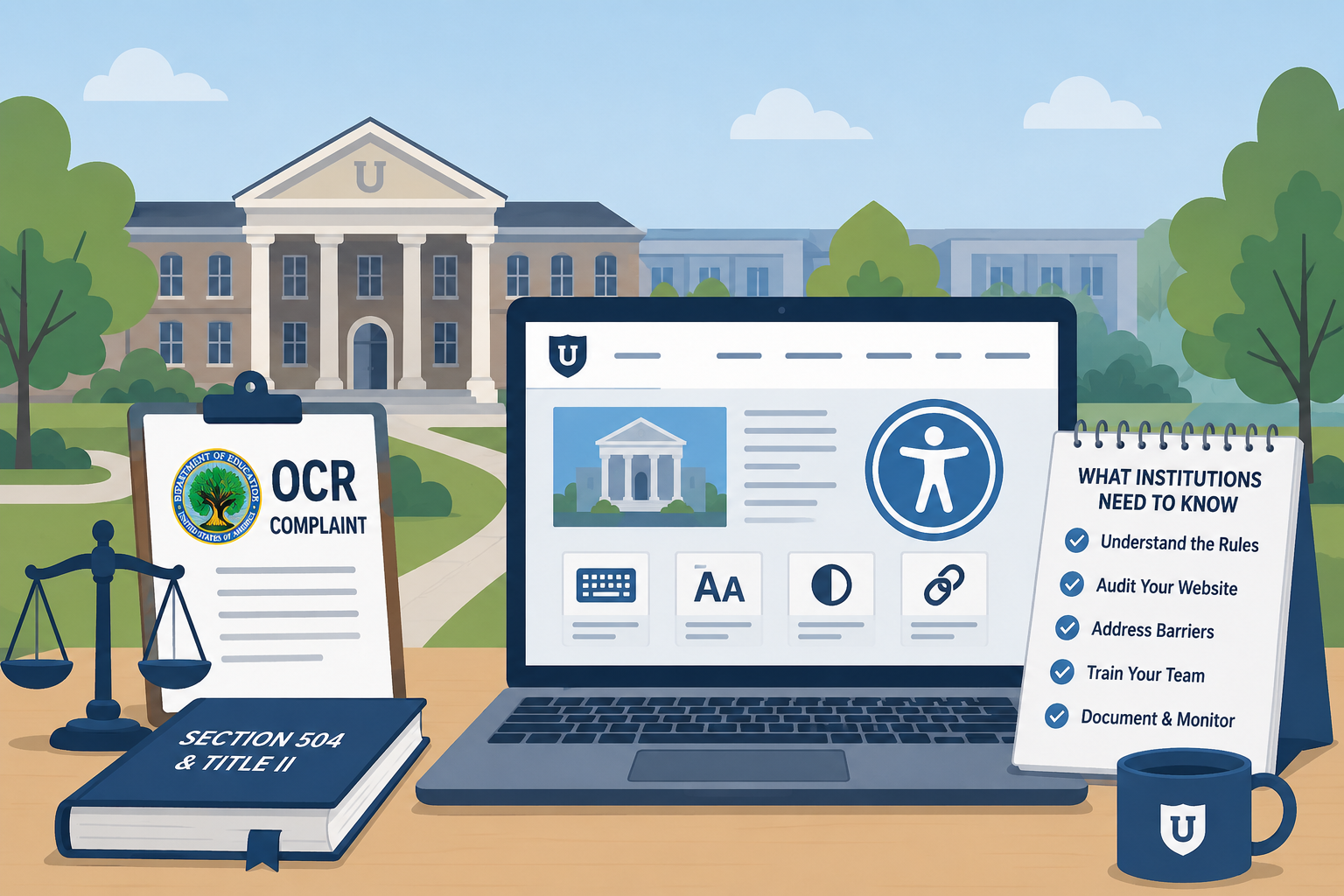
TL;DR: The Department of Education’s Office for Civil Rights (OCR) investigates web accessibility complaints against colleges and universities under Section 504 and ADA Title II. Resolution agreements typically require institution-wide audits, multi-year corrective action plans, and monitoring. Common triggers include inaccessible video content, course management systems, PDFs in syllabi, and financial aid portals. Proactive compliance — with a designated coordinator, written policy, continuous monitoring, and regular training — is substantially cheaper and less disruptive than reactive remediation under a federal agreement.
Every year, the Department of Education’s Office for Civil Rights opens hundreds of investigations into colleges and universities over web and digital accessibility. Some are resolved quickly with voluntary corrective action. Others result in formal resolution agreements that bind an institution to multi-year remediation plans, third-party audits, and periodic federal reporting. The institutions that fare worst are those that had no accessibility program in place when the complaint arrived — and those are not rare exceptions.
What the OCR Is and Its Jurisdiction Over Higher Education
The Office for Civil Rights is a federal agency within the U.S. Department of Education. Its enforcement authority derives from the civil rights conditions attached to federal financial assistance. Any college or university that receives federal funding — which includes virtually every accredited institution through student financial aid, research grants, and other programs — is subject to OCR jurisdiction.
Two statutes are directly relevant to web accessibility:
Section 504 of the Rehabilitation Act (29 U.S.C. § 794) prohibits discrimination against people with disabilities by any entity receiving federal financial assistance. The regulations at 34 C.F.R. Part 104 require recipients to operate programs and activities in a manner that is accessible to qualified individuals with disabilities. Courts and OCR have consistently interpreted this to require accessible digital services, not just accessible physical facilities.
Title II of the Americans with Disabilities Act (42 U.S.C. § 12131 et seq.) applies to public universities and colleges (state institutions). Private institutions with federal funding are primarily covered under Section 504, though ADA Title III (public accommodations) adds additional obligations for private entities.
In practice, OCR applies both statutes to public institutions and Section 504 to private ones. The technical standard OCR uses in resolution agreements is WCAG — most recent agreements reference WCAG 2.1 AA, and newer ones are beginning to cite WCAG 2.2 AA.
How OCR Web Accessibility Complaints Work
Who Can File
Any person who believes a federally funded institution has discriminated against them on the basis of disability can file an OCR complaint. Complainants do not need to have personally been denied access — they can file on behalf of others. Disability advocacy organizations have filed complaints against multiple institutions simultaneously.
Complaints are filed at ocr.ed.gov and must generally be filed within 180 days of the discriminatory act. However, for ongoing issues like a persistently inaccessible website or course management system, the “act” continues as long as the barrier exists.
What Triggers an Investigation
Web accessibility complaints to OCR most commonly arise from:
- A student or prospective student who encounters a barrier — an inaccessible application portal, an online course that doesn’t work with their screen reader, captioned video that is inaccurate or absent
- A faculty or staff member with a disability who cannot access internal systems
- A disability advocate or attorney filing systemic complaints across multiple institutions
- A referral from the DOJ or another agency
OCR screens complaints for timeliness, jurisdiction, and whether they allege a violation of a covered statute. If a complaint is accepted, OCR notifies the institution and typically requests documents: the institution’s accessibility policy, records of accessibility complaints received, documentation of training programs, and other evidence of the institution’s compliance posture.
How Long It Takes
OCR investigations can take years. Complex cases involving large institutions with many systems routinely take two to four years from complaint filing to resolution. During that period, the institution is under active investigation and the legal and administrative burden is significant.
What Resolution Agreements Look Like
When OCR finds sufficient evidence of a violation — or when an institution chooses to resolve voluntarily before OCR reaches a finding — the result is typically a Resolution Agreement (RA). These are legally binding agreements that specify:
- A corrective action plan with specific deliverables and deadlines
- A requirement to conduct a comprehensive accessibility audit of the institution’s web presence
- Timelines for remediating identified issues (often 12–18 months for high-priority items)
- Staff training requirements
- A process for receiving and responding to future accessibility complaints
- A monitoring period (typically 2–3 years) during which the institution must submit progress reports to OCR
Resolution agreements do not include financial penalties in the traditional sense, but the cost of compliance — staff time, consultant fees, remediation work, legal counsel, and reporting — routinely runs into the hundreds of thousands of dollars for large institutions. One university estimated its total remediation program cost in the millions over three years following a resolution agreement.
Real OCR Cases Involving Universities
OCR has resolved web accessibility cases against many well-known institutions. The case records are publicly available in OCR’s case database and provide detailed insight into what investigators look for.
Harvard University and MIT (2015): The National Association of the Deaf filed complaints against both institutions over inaccessible online course content published on their respective MOOC platforms (edX, which both institutions co-founded). The complaints alleged that video content lacked accurate captions, effectively excluding deaf and hard-of-hearing users. Both cases were resolved under Section 504 (Harvard) and ADA Title II (MIT, as a public benefit corporation with state ties). The cases focused significant national attention on the captioning of online educational content and established that MOOC and online course accessibility was squarely within OCR’s purview.
University of Cincinnati: OCR investigated the University of Cincinnati following complaints about web accessibility across the institution’s digital presence. The resolution agreement required a comprehensive audit of the university’s websites and web-based applications, a corrective action plan, and the designation of an ADA/Section 504 coordinator with specific web accessibility responsibilities. The agreement included a multi-year monitoring period with annual reporting requirements.
Community college systems have been frequent targets of OCR complaints, partly because they serve high proportions of students with disabilities and partly because their web infrastructure is often maintained with limited dedicated resources. Several state community college system-wide investigations have resulted in agreements affecting dozens of campuses simultaneously.
These are not isolated incidents. OCR data shows hundreds of active and recently resolved web accessibility cases in higher education at any given time.
What Content Types Trigger Complaints Most Often
Not all accessibility failures generate complaints equally. The issues that prompt formal OCR complaints are typically those that directly prevent a student from participating in an academic program or accessing a critical institutional service.
Course Management Systems
Canvas, Blackboard, Brightspace, and Moodle are the infrastructure through which students access course materials, submit assignments, participate in discussions, and take assessments. When these platforms are inaccessible — or when faculty upload content within them that is inaccessible — students with disabilities cannot participate in their courses on equal terms.
Common LMS accessibility failures:
- Inaccessible third-party tools and integrations (publisher content, proctoring software, embedded simulations)
- Uploaded PDFs of course readings that are scanned images rather than tagged text
- Inaccessible quiz and assessment interfaces
- Instructor-created content with missing alt text, low contrast, or inaccessible tables
Platform vendors (Canvas, Blackboard) have Voluntary Product Accessibility Templates (VPATs) that describe their compliance posture, but a VPAT is not a guarantee. Institutions retain responsibility for accessibility of content they publish within these systems.
Video Content Without Captions
Video is pervasive in higher education: lecture recordings, lab demonstrations, training videos, campus news, event recordings, promotional content, and online course modules. Video without accurate, synchronized captions is inaccessible to deaf and hard-of-hearing users and is one of the most commonly cited issues in OCR complaints.
Auto-generated captions (YouTube’s automatic captions, Zoom’s auto-captions) are not sufficient without review and correction. Technical terminology, proper nouns, accented speech, and specialized academic vocabulary are frequently misrepresented. OCR has explicitly stated in resolution agreements that auto-generated captions do not satisfy the institution’s obligations without quality review.
What this means operationally:
- Institutions need a captioning workflow — either in-house captioning staff, a third-party captioning service (3Play Media, Rev, Verbit), or a hybrid approach
- Faculty need training on captioning requirements before publishing course video
- Legacy video content in LMS courses and on public-facing websites requires audit and remediation
Inaccessible PDFs in Course Materials
Course syllabi, reading packets, research papers, departmental policies, and financial aid instructions are routinely distributed as PDFs. Our guide to PDF accessibility for government websites covers how to remediate these. PDFs that are scanned images of text are inaccessible to screen readers. PDFs that are created from Word or other source documents but lack tags, proper reading order, and form accessibility are also problematic.
This is an area where decentralized publishing creates significant risk — individual faculty members upload syllabus PDFs without awareness of accessibility requirements, and central IT has no visibility into what’s been published across thousands of course shells.
Admissions and Financial Aid Portals
Inaccessible admissions applications, scholarship portals, financial aid systems, and student account management interfaces prevent prospective and current students from accessing fundamental institutional functions. These portals are also among the highest-stakes touchpoints — a student who cannot complete an admissions application is completely excluded from the institution.
Third-party portal vendors frequently receive the same answer from institutions: “It’s the vendor’s system, not ours.” OCR does not accept this argument. The institution is responsible for the accessibility of services it provides, regardless of whether they are built in-house or outsourced.
The Legal Framework: How Section 504 and ADA Title II Interact
For public colleges and universities, both Section 504 and ADA Title II apply simultaneously. The requirements are substantively similar, and OCR typically investigates and resolves both claims together.
For private institutions, Section 504 is the primary federal civil rights authority (through the federal funding hook). Private institutions are also subject to ADA Title III (public accommodations), enforced by the Department of Justice, which adds a separate layer of exposure.
The practical takeaway: whether your institution is public or private, you have federal civil rights obligations around digital accessibility. The enforcement mechanisms differ, but the technical standards (WCAG 2.1 or 2.2 AA) are the same.
WCAG 2.2 AA as the Safe Harbor
Institutions operating under OCR resolution agreements have historically been required to meet WCAG 2.0 or 2.1 AA. Newer agreements and DOJ guidance increasingly reference WCAG 2.2 AA. Treating WCAG 2.2 AA as your institution’s standard today — in procurement contracts, internal policies, and vendor requirements — is the defensible posture.
WCAG 2.2 AA is backward-compatible with 2.1 AA. Meeting 2.2 means you also meet 2.1 (with minor exceptions). Institutions that have achieved 2.1 compliance are close to 2.2 compliance — the additional requirements in 2.2 are focused on focus visibility, pointer input targets, authentication, and form reentry, none of which require wholesale re-architecture.
A critical note for procurement: when your institution purchases a new student information system, LMS, or portal, the contract should require the vendor to meet WCAG 2.2 AA and provide current VPATs. Include audit rights and remediation obligations. Accepting a non-compliant system because it’s the best-fit option otherwise creates a long-term compliance problem that is expensive to fix.
What a Proactive Compliance Program Looks Like
The institutions that navigate OCR investigations most effectively — and increasingly, those that avoid them — share a set of program elements that demonstrate good-faith, systematic effort.
Designated Accessibility Coordinator
OCR resolution agreements almost universally require a designated web accessibility coordinator. Don’t wait for an agreement. Designate a person (or a team) with clear responsibility for web accessibility policy, training, complaint intake, and monitoring. This person should have the authority to require remediation and the resources to do it.
Written Policy
Your institution should have a written digital accessibility policy that states your WCAG conformance target, covers the scope of the policy (websites, web applications, PDFs, video, third-party tools), describes the process for requesting accommodation when barriers exist, and identifies the designated coordinator.
A written policy demonstrates intentionality. It is also evidence that your institution understood its obligations — so it needs to be backed up by actual action, not just document existence.
Grievance Procedure
Section 504 regulations (34 C.F.R. § 104.7) require recipients to adopt grievance procedures that provide for the prompt and equitable resolution of complaints. This must include web accessibility complaints. Make the grievance procedure findable on your website. Train the coordinator and disability services staff on how to use it.
Regular Training
Content editors, faculty who publish course materials, web developers, procurement staff, and communications teams all need training appropriate to their roles. Faculty training on captioning requirements, PDF accessibility, and LMS content is particularly critical given the volume of content they publish.
Training should be documented. If you are investigated, evidence of training attendance, dates, and content demonstrates a good-faith program.
Continuous Monitoring
Accessibility is not a state you achieve once and maintain passively. Content is published continuously across hundreds of course shells, department websites, news pages, and portals. New components are added. Vendors push updates. An annual audit is insufficient to catch regressions.
Continuous automated monitoring — scanning your public-facing web presence on a regular cadence — provides early warning of new failures before they generate complaints. It also generates the data you need to prioritize remediation efforts and report progress to leadership and regulators.
Why Decentralized Web Governance Is the Biggest Risk
Large universities are typically decentralized by design. Academic units operate with significant autonomy. Dozens of departments, schools, centers, and institutes may maintain their own websites, with their own content editors, their own CMS instances, and their own publishing workflows. Faculty publish course content without review by central IT.
This decentralization is the single greatest operational risk for web accessibility compliance. Central IT may have excellent accessibility practices for the main institutional website. But the chemistry department’s website, the business school’s alumni portal, the athletics department’s media library, and the graduate school’s application portal may each have distinct failure patterns that no one is monitoring.
OCR complaints are not limited to the main institutional website. Investigators look at the full digital experience a student encounters — including course materials, departmental sites, and third-party tools integrated into institutional systems. An institution can have a fully WCAG-compliant homepage and still face a valid complaint rooted in a single inaccessible course management system or departmental PDF repository.
The answer to decentralization risk is not centralization per se — it’s governance, training, and monitoring. Clear policies that apply institution-wide, training that reaches content editors in every department, and monitoring that covers the full web footprint rather than just the flagship site.
Govzu is built for exactly this kind of distributed monitoring challenge — scanning government and higher education websites continuously across domains, subdomains, and web applications, and surfacing accessibility failures before they become complaints. For university web and IT teams managing a complex, decentralized digital environment, ongoing visibility is the foundation of a defensible compliance program.