
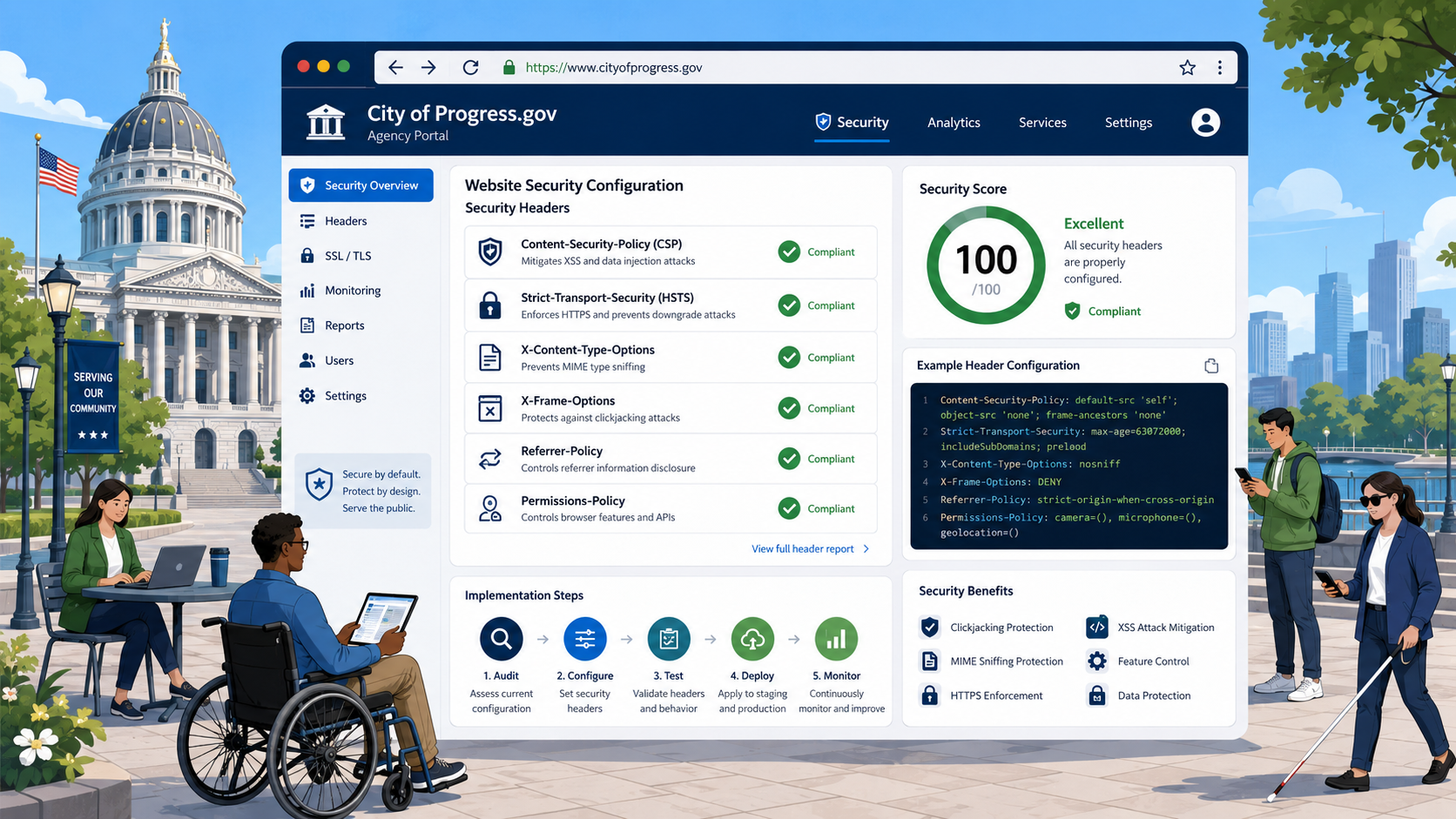
TL;DR: Six HTTP security headers - HSTS (with preload), Content-Security-Policy, X-Frame-Options, X-Content-Type-Options, Referrer-Policy, and Permissions-Policy - dramatically reduce the attack surface of a government website. CISA’s Binding Operational Directive 18-01 made HTTPS and HSTS mandatory for federal
.govsites, and subsequent CISA guidance pushes state, local, tribal, and territorial governments in the same direction. Test your site at securityheaders.com and Mozilla Observatory. Most public-sector sites score a D or F; you can usually reach an A in an afternoon.
HTTP security headers are some of the highest-ROI changes you can make to a government website. They are cheap (configuration, not code), they are well-supported (modern browsers have shipped them for over a decade), and they directly prevent some of the most common attacks on public-sector sites: clickjacking, MIME-sniffing exploits, mixed-content downgrade attacks, cross-site scripting, and unintended data leakage to third parties.
This is a hands-on guide. We will walk through each header, what it does, how to deploy it on Apache, Nginx, IIS, and major CDNs, and how to verify it works.
Why This Matters for Government
Government websites are high-value targets. They host login portals for tax accounts, benefits, permits, and licensing. They process payments. They handle FOIA requests, public records, and forms containing personal information. And they are operated by agencies with limited security budgets and long procurement cycles, making them attractive to attackers.
CISA’s cybersecurity guidance for government websites emphasizes baseline hygiene as the most impactful intervention an agency can make, and security headers are at the top of that list. CISA’s Binding Operational Directive 18-01, issued in 2017, required federal civilian executive branch agencies to enforce HTTPS and HSTS. Subsequent CISA guidance, including the binding operational directives released through 2025, has continued to push for hardened HTTPS configurations across all government tiers.
Strict-Transport-Security (HSTS)
HSTS tells browsers to only ever connect to your site over HTTPS, even if a user types http:// or clicks an old http:// link. Once a browser has seen the HSTS header, it will not allow plain-HTTP connections for the duration of max-age, even if an attacker tries to downgrade the connection.
The Recommended Header
Strict-Transport-Security: max-age=31536000; includeSubDomains; preload
max-age=31536000sets the policy duration to one year. Twelve months is the minimum to qualify for the HSTS preload list.includeSubDomainsapplies HSTS to every subdomain. This is required for preload.preloadsignals that you want the site added to the HSTS preload list shipped with Chrome, Firefox, Safari, and Edge. After preloading, browsers refuse plain-HTTP connections even on the first visit.
Before You Preload
Preloading is effectively permanent. Removal can take months and breaks any subdomain you have not migrated to HTTPS. Before you preload, confirm:
- Every subdomain - including legacy ones like
intranet.example.gov,mail.example.gov, oroldforms.example.gov- serves HTTPS with a valid certificate. - You control every subdomain you have ever published.
- Your CMS, vendor portals, and any iframe embeds all support HTTPS.
For most state and local governments, preloading the apex domain is the right move - but only after a thorough subdomain audit.
Deployment
Apache:
Header always set Strict-Transport-Security "max-age=31536000; includeSubDomains; preload"
Nginx:
add_header Strict-Transport-Security "max-age=31536000; includeSubDomains; preload" always;
IIS (web.config):
<httpProtocol>
  <customHeaders>
    <add name="Strict-Transport-Security" value="max-age=31536000; includeSubDomains; preload" />
  </customHeaders>
</httpProtocol>
Cloudflare, Fastly, Akamai, CloudFront: All have UI controls or VCL/config snippets for adding HSTS. Cloudflare’s setting is under SSL/TLS > Edge Certificates > HSTS.
Content-Security-Policy (CSP)
Content-Security-Policy is the most powerful and the most complex security header. It tells the browser which sources of scripts, styles, images, fonts, frames, and other resources are allowed to load on your site. A well-tuned CSP can prevent most cross-site scripting (XSS) attacks even when a vulnerability exists in your application code.
A Starting Policy
Content-Security-Policy: default-src 'self'; script-src 'self'; style-src 'self' 'unsafe-inline'; img-src 'self' data: https:; font-src 'self' data:; connect-src 'self'; frame-ancestors 'none'; base-uri 'self'; form-action 'self'
This locks the site down to first-party resources, allows inline styles (which most CMSes need), allows images and fonts from data URIs, forbids embedding in frames, and forbids form submission to third parties.
Why Inline Scripts Are the Problem
Most government sites cannot use the strictest possible policy because their CMS (Drupal, WordPress, SharePoint, Sitecore) injects inline scripts. The two solutions are:
- Nonces: Generate a per-request nonce and add it to both the CSP header (
script-src 'nonce-abc123') and every<script>tag (<script nonce="abc123">). The browser only executes scripts whose nonce matches. - Hashes: Compute a SHA-256 hash of each inline script and list the hashes in the CSP. This works for static inline scripts but does not scale.
For most agencies, the right starting point is to deploy CSP in report-only mode, monitor what breaks, and tighten over time.
Report-Only Mode
Content-Security-Policy-Report-Only: default-src 'self'; ...; report-uri /csp-report
Report-only mode logs violations without blocking them. Set up a reporting endpoint (or use a service like report-uri.com), watch the reports for a few weeks, and then promote the policy to enforcement.
X-Frame-Options
X-Frame-Options prevents your site from being embedded in a <frame>, <iframe>, or <object> on another origin. This blocks clickjacking attacks where an attacker overlays a transparent iframe of your site to trick users into clicking buttons they cannot see.
X-Frame-Options: DENY
DENY forbids all framing. SAMEORIGIN allows framing only by your own origin. CSP’s frame-ancestors directive is the modern replacement, but X-Frame-Options is still respected by older browsers and should be set for defense in depth.
If your site needs to allow embedding by specific partner agencies, use CSP frame-ancestors:
Content-Security-Policy: frame-ancestors 'self' https://partner.state.gov
X-Content-Type-Options
X-Content-Type-Options: nosniff
This single-value header tells the browser to trust the Content-Type header sent by your server and never to MIME-sniff. Without it, a browser might interpret a file you serve as text/plain as JavaScript or HTML if it looks like one, opening up attacks via uploaded files.
Set nosniff everywhere. There is no compatibility risk and no configuration to tune.
Referrer-Policy
The Referer header (yes, misspelled in the original specification) sends the URL of the previous page when a user clicks a link. For government sites, that can leak sensitive context - a URL containing a case ID, a search query, or a session token - to every third-party service the user navigates to.
Referrer-Policy: strict-origin-when-cross-origin
This sends the full URL for same-origin requests, only the origin (no path or query) for cross-origin requests over HTTPS, and nothing at all when navigating from HTTPS to HTTP. It is the modern default in most browsers and is a sensible choice for government.
More restrictive options:
same-originsends the referrer only to your own site.no-referrersends nothing.
Sites that process sensitive data (benefits applications, court records, health records) should consider no-referrer or same-origin.
Permissions-Policy
Formerly Feature-Policy, this header controls which browser features can be used on your site - geolocation, camera, microphone, payment, USB, and others. Locking these down prevents both first-party misuse and third-party scripts from quietly enabling them.
Permissions-Policy: geolocation=(), camera=(), microphone=(), payment=(), usb=(), interest-cohort=()
An empty () means the feature is disallowed for all origins. Include interest-cohort=() to opt out of Google’s FLoC and Topics tracking, which most government sites should do as part of their privacy posture.
If your site does use, for example, geolocation on a “find your nearest office” page, enable it only there:
Permissions-Policy: geolocation=(self)
Other Useful Headers
Cross-Origin-Opener-Policy and Cross-Origin-Embedder-Policy
Cross-Origin-Opener-Policy: same-origin
Cross-Origin-Embedder-Policy: require-corp
These isolate your site from cross-origin windows and require explicit opt-in for cross-origin resource loading. They are required to use modern browser features like SharedArrayBuffer and provide additional defense against Spectre-class attacks. They can break embedded third-party content, so test carefully.
Server and X-Powered-By
These are not security headers per se, but they leak information about your server stack. Remove them.
Nginx:
server_tokens off;
Apache:
ServerTokens Prod
ServerSignature Off
IIS: Use URL Rewrite to remove the Server header.
How to Test
securityheaders.com
Run by Scott Helme, this is the most widely used free tester. It grades sites A+ through F based on which headers are present and how they are configured. It is the standard scorecard.
Mozilla Observatory
observatory.mozilla.org provides a more detailed scoring system that also checks TLS configuration, cookies, and a broader set of best practices.
SSL Labs
Qualys SSL Labs tests your TLS configuration - protocol versions, cipher suites, certificate chain, and HSTS. Aim for an A+.
Browser DevTools
The Network tab in Chrome, Firefox, or Edge shows the headers returned for every request. Use it to verify headers are present on every response, not just the homepage.
Relationship to CISA Directives
BOD 18-01 required federal civilian agencies to enforce HTTPS and HSTS, disable insecure SSL/TLS protocols, and use STARTTLS for email.
BOD 22-01 required federal agencies to remediate known exploited vulnerabilities (the KEV catalog) on a fixed schedule.
BOD 23-01 required federal agencies to maintain comprehensive asset discovery and vulnerability enumeration.
BOD 25-01 and subsequent guidance (released 2024-2025) tightened secure configuration baselines for cloud services, including Microsoft 365 and Google Workspace.
While BODs are binding only on federal civilian agencies, CISA strongly recommends state, local, tribal, and territorial governments adopt the same baselines. For most public-sector sites, that means HTTPS, HSTS, CSP, and the rest of the headers in this guide are effectively expected.
For a broader view of cybersecurity expectations for public-sector sites, see our CISA cybersecurity guide for government websites.
Common Mistakes
HSTS Without HTTPS Everywhere
If you set HSTS before every subdomain is on HTTPS, you will lock users out of the non-HTTPS subdomains. Audit first, preload later.
CSP That Blocks the CMS Editor
Most CMS admin interfaces rely on inline scripts and eval(). Apply CSP to your public site, not the admin backend, or use a separate, looser policy for /admin paths.
Headers Set on the Homepage Only
If your server config sets headers only for the homepage or only for HTML, your JSON APIs, images, PDFs, and downloads will not have them. Set headers globally with always (Apache, Nginx) or at the CDN edge.
Trusting Third-Party Scripts
CSP cannot protect you if you whitelist *.googletagmanager.com and then a marketing team member loads a compromised tag through GTM. Limit which staff can deploy third-party tags, audit them regularly, and use Subresource Integrity (integrity="sha256-...") for any third-party script you can pin to a version.
Inconsistent Configuration Across Environments
Headers set in production but not in staging mean you only catch bugs after launch. Bake headers into your base infrastructure config (Terraform, Ansible, container images) so every environment matches.
Putting It Together
A good baseline policy for a government website looks something like:
Strict-Transport-Security: max-age=31536000; includeSubDomains; preload
Content-Security-Policy: default-src 'self'; script-src 'self' 'nonce-XYZ'; style-src 'self' 'unsafe-inline'; img-src 'self' data: https:; font-src 'self' data:; connect-src 'self'; frame-ancestors 'none'; base-uri 'self'; form-action 'self'
X-Content-Type-Options: nosniff
X-Frame-Options: DENY
Referrer-Policy: strict-origin-when-cross-origin
Permissions-Policy: geolocation=(), camera=(), microphone=(), payment=(), usb=(), interest-cohort=()
Combined with a modern TLS configuration (TLS 1.2+ with strong cipher suites), this is enough to earn an A on securityheaders.com and significantly reduce the attack surface of your site.
Headers are part of a broader government website compliance picture that also includes accessibility, privacy, and content quality. None of these stand alone.
Keep Headers From Drifting
Security headers are easy to set and easy to lose. A CMS upgrade, a CDN configuration change, a vendor reverse proxy in front of your origin, or a new subdomain added by a department can quietly strip headers from production traffic without anyone noticing.
Govzu continuously monitors every public URL on your government website for security header coverage - HSTS, CSP, X-Frame-Options, and the rest - and alerts your team within minutes when a header disappears or weakens, so you catch regressions before attackers do.