
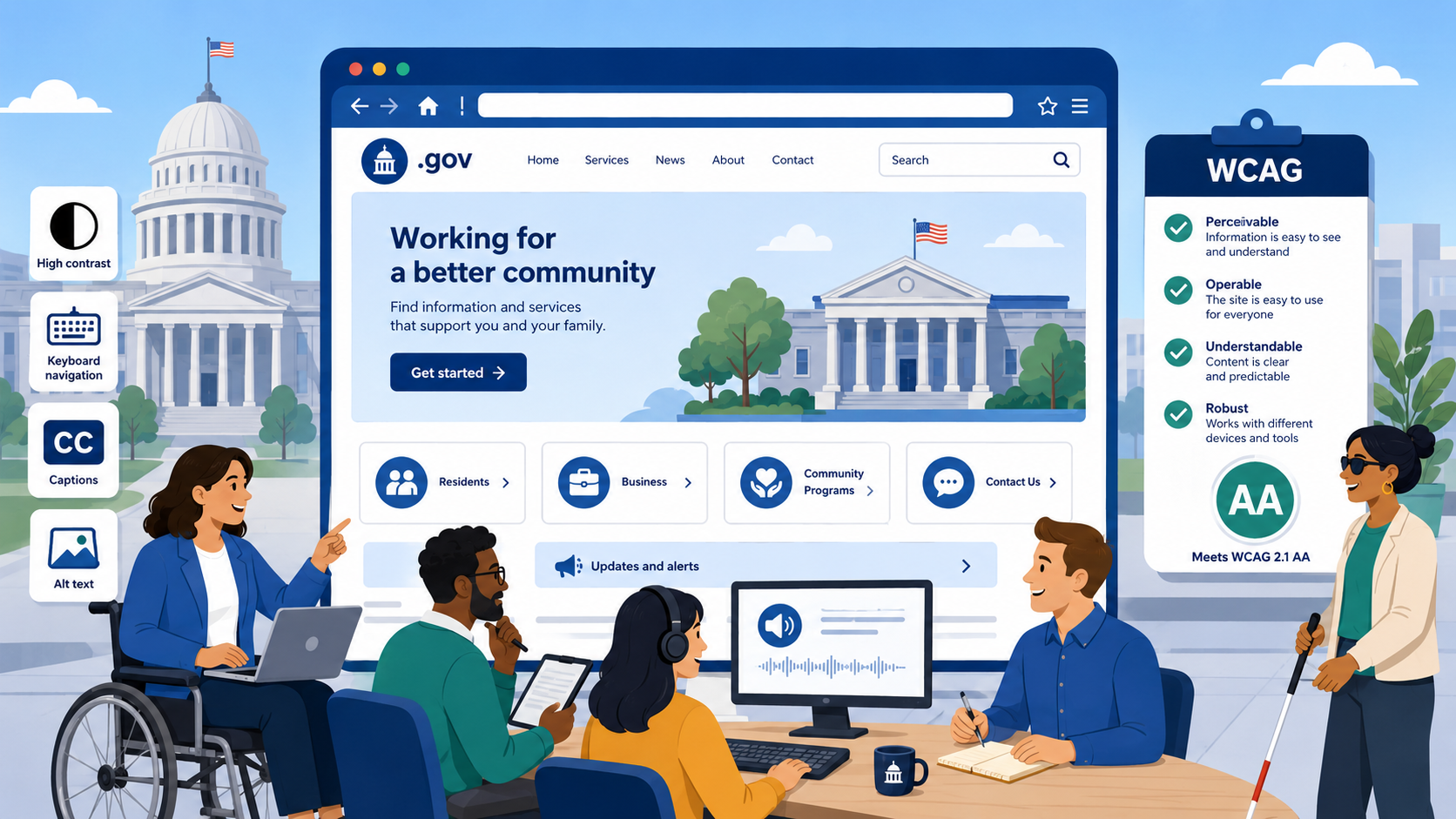
TL;DR: WCAG (Web Content Accessibility Guidelines) is the technical standard government websites must meet. Published by the W3C, it’s organized around four principles — Perceivable, Operable, Understandable, Robust — and three conformance levels (A, AA, AAA). Government agencies are required to meet Level AA. The current version is WCAG 2.2, published in 2023. Automated tools catch about 30–40% of issues; manual testing covers the rest.
If you’ve seen “WCAG 2.1 AA” in a procurement contract, a compliance policy, or a legal settlement and found yourself unsure exactly what it means, you’re not alone. Government web teams regularly encounter WCAG as a requirement without a clear explanation of what it is, how it’s structured, or what following it actually involves. This guide covers all of that.
What WCAG Is and Who Publishes It
WCAG stands for Web Content Accessibility Guidelines. It is published by the World Wide Web Consortium (W3C), the international standards organization that also publishes HTML and CSS specifications. Within the W3C, WCAG is developed by the Web Accessibility Initiative (WAI) — a working group that includes accessibility researchers, disability advocates, assistive technology developers, and browser vendors.
WCAG is not a U.S. law or regulation — it is a technical standard. But it has become the legal benchmark for web accessibility in the United States and in many other countries, because regulators have adopted it by reference. The Department of Justice’s 2024 Title II rule requires WCAG 2.1 AA. The Access Board’s Section 508 standards require WCAG 2.0 AA. The Department of Education’s OCR uses WCAG as its measuring stick for Section 504 resolution agreements.
This means that for government agencies, WCAG is effectively a legal requirement, even though it originated as a voluntary technical standard.
WCAG Version History
WCAG 2.0 (2008)
The first widely adopted version of WCAG established the four POUR principles and the three-level conformance structure that all subsequent versions have retained. WCAG 2.0 was published in December 2008 and remains the basis for Section 508’s technical standard following the 2017 Refresh.
WCAG 2.1 (2018)
WCAG 2.1 was published in June 2018 and added 17 new success criteria to WCAG 2.0, addressing three areas that had been underserved: mobile accessibility, low vision, and cognitive disabilities. Significant additions included:
- 1.3.4 Orientation — content must not restrict orientation to portrait or landscape
- 1.4.10 Reflow — content must be viewable at 400% zoom without horizontal scrolling
- 1.4.11 Non-text Contrast — UI components and graphical objects must meet 3:1 contrast
- 1.4.12 Text Spacing — text must remain readable when spacing is adjusted
- 2.5.3 Label in Name — accessible name must contain visible label text
WCAG 2.1 AA is what the 2024 DOJ Title II rule requires. It is currently the minimum legal target for state and local government websites.
WCAG 2.2 (2023)
WCAG 2.2 was published in October 2023. It adds nine new success criteria and removes one (4.1.1 Parsing, which had become redundant with modern browser handling). Government teams should be targeting 2.2 AA now, not 2.1 — the additional requirements are not burdensome and the standard reflects current best practices. The nine new criteria are covered in detail below. For a complete, testable breakdown of all 50 AA success criteria, see our WCAG 2.2 Level AA checklist for government websites.
The Three Conformance Levels
WCAG success criteria are assigned one of three conformance levels.
Level A is the minimum level of conformance. Level A failures are generally considered to make content completely inaccessible or unusable for certain groups. Examples: images with no alt attribute at all, form inputs with no labels, video with no audio description.
Level AA is the standard level and is what government agencies are required to meet. Level AA addresses the most significant barriers while remaining achievable without excessive burden. This is the target for legal compliance under the ADA, Section 508, and Section 504.
Level AAA is the highest level and includes requirements that cannot reasonably be met for all content — for example, requiring sign language interpretation for all audio content. AAA is appropriate as a goal for specific content types, but it is not a general compliance requirement.
When a policy or contract says “WCAG 2.2 AA,” it means the site must pass all Level A and Level AA success criteria in WCAG 2.2.
The Four POUR Principles
Every WCAG success criterion falls under one of four principles. Understanding the principles helps you recognize what kind of barrier a given requirement is addressing.
Perceivable
Information and user interface components must be presentable to users in ways they can perceive. In practice, this means users can’t miss content just because they can’t see, hear, or process it in a particular way.
Examples:
- A chart must have alt text or a text description — someone who can’t see the image can still get the information.
- Video must have captions — someone who can’t hear the audio track can still follow the content.
- Text must have sufficient contrast — someone with low vision or color deficiency can still read the page.
- Content must reflow at high zoom levels — someone with low vision using browser zoom can still read without horizontal scrolling.
Operable
User interface components and navigation must be operable. Users must be able to interact with everything on the page using the input method available to them.
Examples:
- Every interactive element (links, buttons, form fields) must be reachable and usable via keyboard alone, without requiring a mouse.
- Users must have enough time to complete tasks — or be able to adjust time limits.
- Pages must not contain content that flashes more than three times per second, which can trigger seizures.
- Focus must be visible — users navigating by keyboard must be able to see where they are on the page at all times.
- Navigation must be consistent and provide mechanisms for users to bypass repeated blocks of content (skip links).
Understandable
Information and the operation of the user interface must be understandable. Users shouldn’t be confused or surprised by content or interface behavior.
Examples:
- Pages must declare their primary language in the HTML so screen readers use the correct pronunciation.
- Navigation must be consistent across pages — menus in the same location, same labels.
- Form errors must be clearly identified and described in text, not just highlighted in red.
- Instructions must not rely on sensory characteristics alone (“click the round button” fails users who can’t see shape).
Robust
Content must be robust enough to be interpreted reliably by a wide variety of user agents, including assistive technologies. This principle is largely about clean, standards-compliant code.
Examples:
- HTML must be well-formed with no duplicate attributes or improperly nested elements.
- ARIA (Accessible Rich Internet Applications) roles, states, and properties must be used correctly so assistive technologies can interpret custom widgets.
- Status messages (form success confirmations, live search results) must be programmatically determinable so they’re communicated to screen reader users who aren’t watching visually.
What’s New in WCAG 2.2
The nine success criteria added in WCAG 2.2 address gaps that had become apparent in accessibility audits, particularly around focus visibility, pointer input, authentication, and repetitive form entry.
Focus Visibility (2.4.11 and 2.4.12)
2.4.11 Focus Not Obscured (Minimum) — AA: When a UI component receives keyboard focus, it must not be entirely hidden by other content. Sticky headers and floating elements that obscure the focused element are a common failure.
2.4.12 Focus Not Obscured (Enhanced) — AAA: Same as 2.4.11 but requires the focused element to be fully visible, not just partially.
2.4.13 Focus Appearance — AAA: The focus indicator must meet specific size and contrast requirements. (This one is AAA, not a direct government compliance requirement, but following it is strongly recommended.)
Pointer Input
2.5.7 Dragging Movements — AA: Any functionality that uses dragging must also be operable with a single pointer (click/tap). This covers sliders, sortable lists, map drag interactions, and custom drag-and-drop interfaces. Users who can’t perform dragging motions — common with motor disabilities — need an alternative.
2.5.8 Target Size (Minimum) — AA: Interactive targets must be at least 24 by 24 CSS pixels, unless an inline element, the spacing around the target achieves the same effect, or a target of that size would change the meaning of the content. This addresses the very small link and button targets that are common in dense government web layouts.
Consistent Help (3.2.6 — AA)
If a web page includes a help mechanism — a contact phone number, email address, live chat, or self-service link — and that mechanism appears on multiple pages, it must appear in a consistent location. For government sites with agency contact information in the footer, sidebar, or header, verify that the location is consistent across pages.
Redundant Entry (3.3.7 — A)
Information that a user has already entered in a multi-step process must not be required to be entered again unless there’s a clear reason (security, the information has expired). This matters for government online applications, permit forms, and registration flows that span multiple steps.
Accessible Authentication (3.3.8 and 3.3.9)
3.3.8 Accessible Authentication (Minimum) — AA: A cognitive function test — like solving a puzzle, transcribing distorted text (traditional CAPTCHA), or doing mental math — must not be required to authenticate unless an alternative method is provided, the test is an object recognition task (not text), or the user can get assistance. This is a significant requirement for government portals that rely on image-based CAPTCHA.
3.3.9 Accessible Authentication (Enhanced) — AAA: The same, but prohibits object recognition tests as well.
Automated Testing vs. Manual Testing
A common misconception is that running an automated scanner constitutes an accessibility audit. It does not.
Automated testing tools — axe DevTools, WAVE, IBM Equal Access Checker, and others — are excellent at finding certain categories of failures reliably and at scale:
- Missing alt attributes
- Empty form labels
- Low color contrast
- Missing document language
- Duplicate IDs
- Some ARIA misuse
Research consistently finds that automated tools detect approximately 30–40% of actual WCAG failures. The majority of accessibility issues require human judgment:
- Alt text quality: A tool can detect a missing alt attribute, but it cannot evaluate whether the alt text is accurate, descriptive, and appropriate.
- Keyboard navigation: Tools can flag elements that appear unfocusable, but testing an entire user flow via keyboard requires a human tester.
- Reading order: The visual layout may look logical while the underlying DOM order is completely different, confusing screen reader users.
- Screen reader compatibility: Real assistive technology testing with NVDA + Firefox, JAWS + Chrome, or VoiceOver + Safari reveals issues that automated tools miss entirely.
- Cognitive accessibility: Clarity of language, complexity of instructions, and consistency of navigation require human evaluation.
An effective government accessibility program combines automated scanning for broad coverage and regression detection with scheduled manual testing using real assistive technology.
How to Read a WCAG Success Criterion
Each success criterion has a specific structure worth understanding. Take 1.4.3 Contrast (Minimum) — AA as an example.
The number (1.4.3) places it under Principle 1 (Perceivable), Guideline 1.4 (Distinguishable), criterion 3. The title (Contrast (Minimum)) describes what it addresses. The level (AA) is the conformance requirement.
The criterion text itself is the normative requirement: “The visual presentation of text and images of text has a contrast ratio of at least 4.5:1, except for…” followed by enumerated exceptions (large text, incidental text, logotypes).
Understanding Exceptions is critical. Most failure determinations in practice come down to whether a specific situation is covered by an exception. When in doubt about whether a specific element is exempt, the safe answer is to meet the requirement.
The W3C publishes “Understanding” documents for each success criterion that explain the intent, provide examples, and list sufficient techniques. These are invaluable for teams trying to apply WCAG correctly.
Why Target 2.2 Now
If the DOJ Title II rule references WCAG 2.1, why bother with 2.2?
First, WCAG 2.2 is strictly backward compatible — every site that meets 2.2 AA also meets 2.1 AA, minus the removed 4.1.1 criterion which is no longer meaningful. Moving to 2.2 does not require undoing 2.1 work.
Second, OCR resolution agreements have already begun referencing WCAG 2.2. Procurement contracts for new government web platforms should specify 2.2 AA as the requirement today, so systems delivered over the next several years meet the current standard.
Third, the accessibility improvements in 2.2 — particularly around focus visibility, touch target size, and authentication — address real, common barriers on government sites. Meeting 2.2 makes your site more usable, not just more compliant.
Govzu tests government websites against WCAG 2.2 AA criteria and surfaces failures with remediation guidance, so web teams can close gaps systematically rather than discovering them in an audit or a complaint. Continuous monitoring means 2.2 compliance doesn’t drift as content changes.