
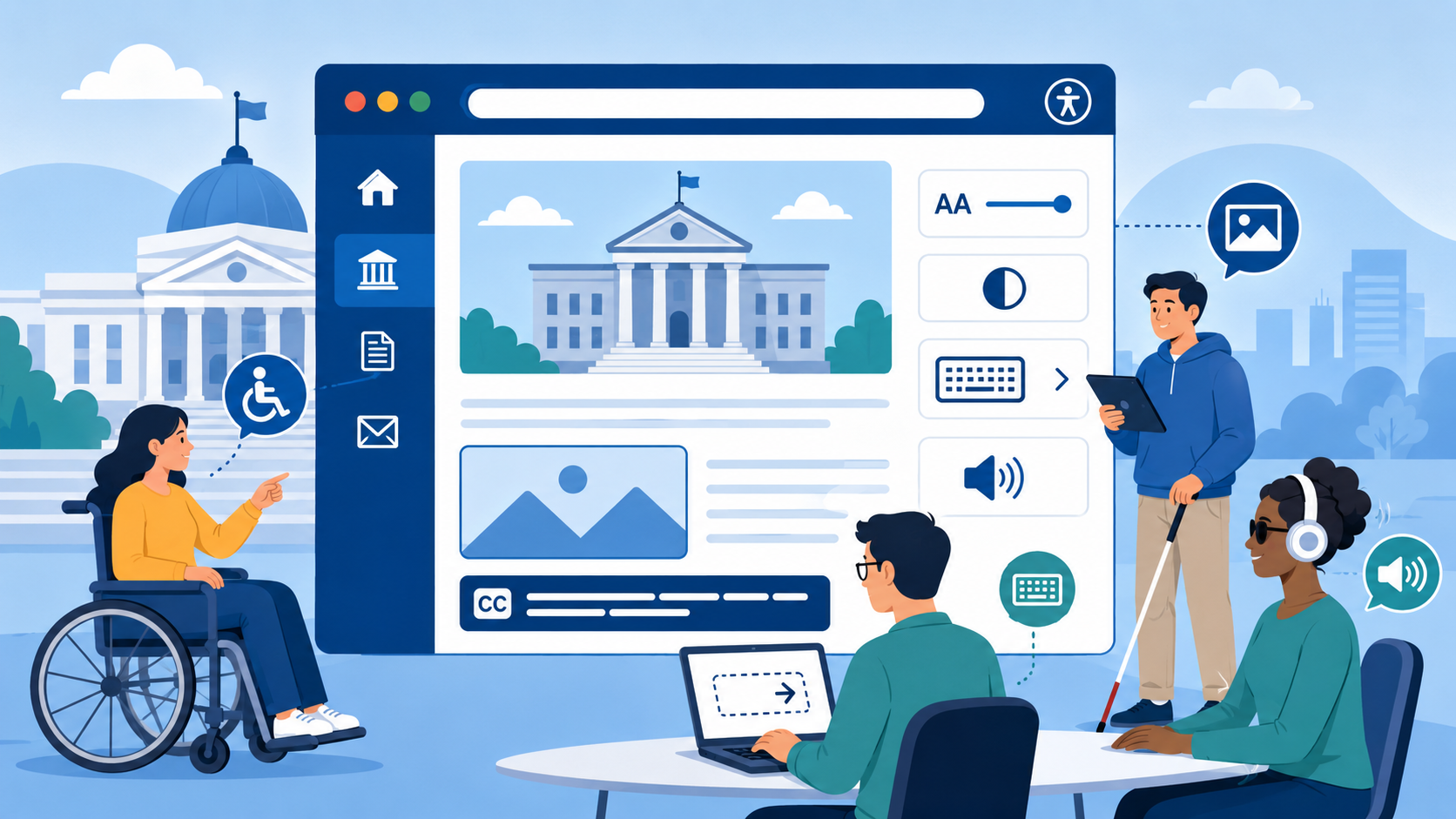
TL;DR: Web accessibility means your website works for people with disabilities — including those using screen readers, keyboard navigation, and captions. For government agencies, accessibility is a legal requirement under the ADA, Section 508, and Section 504. Inaccessible government websites expose agencies to federal complaints, OCR investigations, and DOJ enforcement. An accessibility audit is the right first step.
Government websites are, by definition, public infrastructure. When a resident can’t access your city’s permit portal, a veteran can’t read your benefits page, or a student with a visual impairment can’t navigate your university’s admissions site, that’s not a usability inconvenience — it’s a civil rights failure. Web accessibility is the practice of building and maintaining websites that everyone can use, regardless of disability. For government agencies, it’s also the law.
What Web Accessibility Actually Means
Web accessibility means that people with disabilities can perceive, navigate, interact with, and contribute to your website. That definition is deliberate — it covers four different modes of engagement, not just “can they see the page.”
In practice, accessibility shows up in specific, concrete ways:
Screen readers: People who are blind or have significant visual impairments use software like NVDA (Windows, free), JAWS (Windows, commercial), or VoiceOver (built into macOS and iOS) to convert web content to audio or Braille output. For screen readers to work, images need descriptive alt text, form fields need labels, page structure needs proper headings, and interactive elements need to communicate their purpose to assistive technology.
Keyboard navigation: Many users with motor disabilities can’t use a mouse. They navigate entirely with a keyboard — typically Tab, Shift+Tab, Enter, and arrow keys. Every interactive element on your site (links, buttons, form fields, dropdown menus, modal dialogs) must be reachable and operable via keyboard alone. If a user tabs to a dropdown and nothing happens, that component is inaccessible.
Captions and transcripts: People who are deaf or hard of hearing need captions on video content. Auto-generated captions (YouTube’s, for example) are often inaccurate enough to be useless or misleading. Government video content — public meetings, emergency alerts, how-to guides — requires accurate, synchronized captions.
Color contrast: Approximately 8% of men and 0.5% of women have some form of color vision deficiency. Low contrast between text and background makes content difficult or impossible to read. WCAG requires a contrast ratio of at least 4.5:1 for normal text.
Readable, predictable layouts: People with cognitive disabilities, ADHD, or low literacy benefit from clear navigation, consistent page structure, plain language, and the ability to control time limits.
Who Benefits — More People Than You Think
It’s tempting to think of web accessibility as a niche concern. It isn’t.
The CDC reports that 1 in 4 U.S. adults — roughly 61 million people — has a disability. That number includes mobility limitations, hearing loss, vision impairment, cognitive and intellectual disabilities, and mental health conditions. Among adults 65 and older, the rate climbs sharply: more than 2 in 5 older Americans have a disability. As the population ages, the share of residents who depend on accessible design will grow.
Disability also includes situational and temporary conditions that affect a much wider group:
- A person with a broken arm who can’t use a mouse
- A new parent holding a baby, navigating with one hand
- A construction worker checking your permits portal on a phone in direct sunlight, where screen glare makes low-contrast text invisible
- Someone in a noisy environment watching a video without sound
- A non-native English speaker who benefits from plain language and clear structure
Accessibility improvements help all of these users. The curb-cut effect — the phenomenon where accessibility features built for wheelchair users also help cyclists, parents with strollers, and delivery workers — applies directly to web design.
The Legal Framework for Government Agencies
Three overlapping federal laws create the legal obligation for government website accessibility.
ADA Title II
Title II of the Americans with Disabilities Act (42 U.S.C. § 12131 et seq.) prohibits discrimination based on disability by state and local governments. Courts have consistently interpreted Title II to apply to government websites and digital services — not just physical facilities. In April 2024, the Department of Justice finalized a rule under Title II explicitly requiring state and local government websites and mobile applications to conform to WCAG 2.1 Level AA, with compliance deadlines phased by jurisdiction size:
- Jurisdictions with 50,000 or more residents: April 24, 2026
- Smaller jurisdictions: April 26, 2027
This rule removes the ambiguity that had existed for years. State and local government agencies — including counties, cities, school districts, and special districts — now have a specific, codified standard and a deadline.
Section 508
Section 508 of the Rehabilitation Act (29 U.S.C. § 794d) applies to federal agencies and requires that electronic and information technology developed, procured, maintained, or used by the federal government be accessible to people with disabilities. The 2017 “Refresh” of Section 508 incorporated WCAG 2.0 Level AA as the technical standard.
State agencies that receive federal funding can be subject to Section 508-like requirements through their grant agreements. Many state IT policies have also adopted Section 508 as their internal standard even beyond direct federal requirements.
Section 504
Section 504 of the Rehabilitation Act (29 U.S.C. § 794) prohibits discrimination against people with disabilities by any entity receiving federal financial assistance. This covers a very broad set of organizations: public universities, K-12 school districts, hospitals that accept Medicare and Medicaid, transit authorities, and many others. The Department of Education’s Office for Civil Rights (OCR) enforces Section 504 in the education context and has resolved hundreds of web accessibility complaints against colleges, universities, and school districts.
What WCAG Is and Why It’s the Standard
WCAG — the Web Content Accessibility Guidelines — is a set of technical standards published by the World Wide Web Consortium (W3C) through its Web Accessibility Initiative (WAI). WCAG is not a U.S. government document, but it has become the de facto global standard for web accessibility and is referenced directly in federal and state law.
WCAG organizes its requirements around four principles: content must be Perceivable, Operable, Understandable, and Robust (POUR). Each principle contains guidelines, and each guideline contains testable success criteria, each assigned a level of conformance: A (minimum), AA (standard), or AAA (enhanced).
Government websites are generally required to meet WCAG 2.1 Level AA at minimum, though the current version is WCAG 2.2 (published September 2023). Teams that are just beginning compliance work should target 2.2 AA — the additional requirements over 2.1 are not burdensome, and staying current avoids having to re-remediate in the near future.
Real Consequences of Inaccessible Government Websites
The enforcement record is long and growing.
The Department of Justice has reached binding settlement agreements with state and local governments over inaccessible websites. A 2021 DOJ settlement with the State of Louisiana required several state agencies to bring their websites into compliance with WCAG 2.1 AA, designate an accessibility coordinator, conduct training, and report progress to the DOJ annually. The settlement process imposed real costs in staff time, consultant fees, and remediation work — costs that would have been lower if accessibility had been built in from the start.
OCR investigations regularly result in resolution agreements that require universities and school districts to conduct site-wide audits, remediate identified failures, train staff, and submit to monitoring for periods of two to three years. These are not minor administrative matters — they involve legal counsel, dedicated project management, and significant remediation expenditure.
Private ADA lawsuits against government entities, while less common than suits against private businesses, do occur. More frequently, government websites become the subject of formal complaints to the DOJ’s Disability Rights Section or OCR, which trigger investigations that can last years.
The cost of reactive compliance — responding to a complaint, conducting an emergency audit, hiring remediation contractors under pressure, and operating under monitoring — is consistently higher than the cost of building accessibility into routine web operations.
What the Most Common Government Site Failures Look Like
Across thousands of government website audits, the same failure patterns appear repeatedly. For a detailed breakdown, see our article on the most common accessibility failures on government websites.
- Missing or inadequate alt text on images: City seals, maps, charts, staff photos, and infographic images without alt text are invisible to screen reader users.
- Low color contrast: Light gray text on white backgrounds, or colored text on similarly colored backgrounds, fails the 4.5:1 contrast ratio requirement.
- Inaccessible PDFs: Government agencies publish enormous quantities of PDF documents — budgets, agendas, reports, forms. PDFs that are scanned images rather than tagged text are completely inaccessible to screen readers.
- Missing form labels: Online forms without properly associated labels are unusable for screen reader users who can’t see the visual placeholder text.
- No skip navigation links: Without a “Skip to main content” link, keyboard and screen reader users must tab through the entire navigation on every page before reaching the main content.
- Keyboard traps: Interactive components (particularly date pickers, modal dialogs, and custom dropdown menus) that trap keyboard focus, making it impossible to navigate away without using a mouse.
- Videos without captions: Public meeting recordings, department explainer videos, and emergency announcements published without synchronized captions.
- Missing document language declaration: Pages that don’t declare their primary language in the HTML cause screen readers to use incorrect pronunciation rules.
How to Get Started
The first step is knowing what you have. Our government website compliance checklist covers accessibility, security, privacy, and performance in one place — a useful starting audit tool. Government web teams are often managing dozens — or hundreds — of pages, PDFs, and web applications, accumulated over years, often across multiple CMSs. A structured audit using a combination of automated scanning and manual testing gives you an accurate picture of your current state and a remediation roadmap prioritized by severity and impact.
Automated tools like axe, WAVE, or Govzu can identify a meaningful subset of WCAG failures quickly and at scale. But automated testing catches only about 30–40% of actual accessibility issues — issues like keyboard navigation failures, incorrect reading order, and meaningful alt text require human evaluation.
Govzu provides continuous automated monitoring for government websites, flagging accessibility regressions as content changes — so you’re not discovering issues months later in a complaint. Ongoing monitoring is what separates agencies that maintain compliance from those that achieve it briefly and then drift.